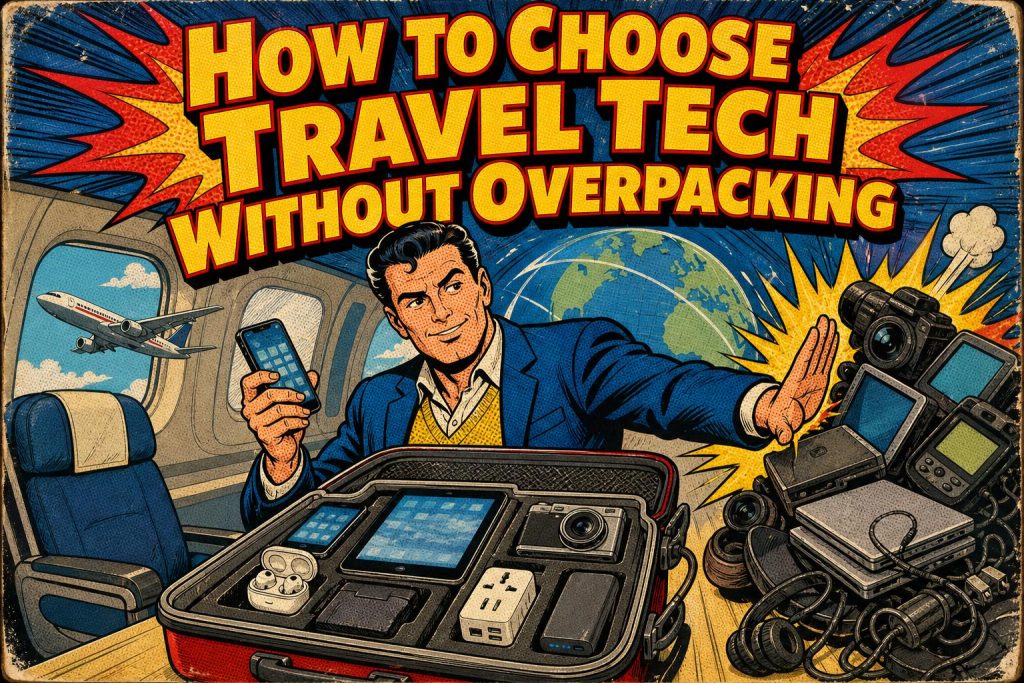
Travel tech is the set of devices and services that keep you connected, powered, navigating, and tracked while you travel: think eSIMs, multi-port chargers, plug adapters, power banks, and luggage trackers. Choose it by function rather than by gadget category, and a full kit collapses into about five items: one eSIM, one charger, one adapter, one power bank, and one tracker per checked bag. That approach ends overpacking because each item earns its place by solving a specific travel problem instead of duplicating another.
Below are the questions travelers ask most when building a compact kit, answered directly.
Building the minimum kit
What is travel tech, and how do I decide what to pack?
Travel tech is any device or digital service that supports a trip: connectivity, charging, navigation, documents, baggage tracking, and emergency backup. Decide by function, not by product type. For each function, ask what one item covers it and what that item replaces. An eSIM replaces a physical SIM, an ejector tool, and an airport SIM counter. A multi-port charger replaces two or three single-plug bricks. When every item answers a problem, the pile shrinks on its own.
What is a minimum viable travel-tech kit?
A minimum viable travel-tech kit is one eSIM, one multi-port charger, one destination-compatible plug adapter, one power bank with a built-in USB-C cable, one luggage tracker per checked bag, and a small physical backup of documents and payment. That covers connectivity, power, navigation, tracking, and emergencies without redundancy. Travelers on r/onebag report carrying far more (routers, spare cables, multiple storage devices) and describe the constant tension between redundancy and dead weight. Start from this base and add only what a specific trip demands.
Tip: Pack one tracker per checked bag, not several scattered across compartments. Multiple trackers in one suitcase report the same location and waste batteries.
Connectivity and eSIMs
Should I use an eSIM instead of a physical SIM?
Yes, if your phone is unlocked, eSIM-compatible, and supported at your destination. An eSIM is a digital SIM you activate by scanning a code, so it removes the physical card, the ejector tool, and the airport SIM purchase. Confirm all three requirements before you buy, because coverage and device support vary by country. eSIM adoption is climbing fast: the Trusted Connectivity Alliance reported an estimated 605 million eSIM shipments in 2025, an 18% year-over-year rise, with consumer profile downloads up 43%.
Which eSIM plan should I choose for my trip?
Match the plan to the trip length and destination rather than defaulting to unlimited. Airalo lists U.S. unlimited plans from $11.50 for 3 days to $68 for 30 days (Airalo, 2026), useful for a single-country visit. Holafly offers USA-specific and North America regional unlimited-data plans, better for multi-country routes. Check current pricing, plan terms, and destination coverage immediately before departure, since these change often. A short leisure trip rarely needs a 30-day plan.
Will satellite-to-phone connectivity replace my eSIM soon?
Not yet. Direct-to-device satellite service is developing for remote areas, but availability, compatible devices, carrier agreements, emergency limits, and pricing all vary. The International Telecommunication Union reported in April 2026 that these networks aim to reach the last 4% of people terrestrial mobile networks miss. For most trips, treat satellite as an emerging supplement for off-grid stretches, not a replacement for cellular or an eSIM.
Power and charging
What charger wattage do I actually need?
Match wattage to your devices. A 30W to 45W charger handles phone-focused travel and packs small. Carrying a laptop pushes you toward 65W or 100W-plus. Anker lists a 45W charger at $39.99 and a 20W 5-in-1 travel adapter at $25.99 (Anker, 2026), either of which covers a phone-and-earbuds setup. Buying the most powerful brick "just in case" adds bulk you carry every day for a laptop you might use twice.
Do I need a power bank, and how big?
A power bank is worth it for most trips, especially long transit days when heavy map, camera, and boarding-pass use drains a phone by early afternoon. Travelers in r/TechNook describe a power bank as the essential they added after a phone-drain problem stranded them mid-trip. A 10,000mAh unit with a built-in retractable cable, such as Anker's 45W model at a $49.99 sale price (Anker, 2026), recharges a phone once or twice without a spare cable. Check your airline's carry-on power-bank rules before flying.
Warning: Airlines cap the power-bank capacity you can carry on and ban them from checked luggage. Confirm your carrier's watt-hour limit before you pack, or the bank gets confiscated at the gate.
Tracking and documents
Are luggage trackers worth it?
Yes, for confidence and speed of recovery, though a tracker complements the airline's baggage process rather than replacing it. Put one in each checked bag. IATA's 2025 Global Passenger Survey found 88% of passengers say real-time luggage tracking would make them feel more confident. The next-generation AirTag works through Apple's Find My network and adds a louder speaker and extended Precision Finding range over the prior model. Non-Apple users should pick a tracker built for their phone's ecosystem.
What documents and backups should I carry when everything is digital?
Carry offline maps, saved screenshots, a physical payment card, physical identification, and a paper or offline copy of essential booking and contact details. Digital wallets, biometrics, and electronic bag tags cut physical clutter, but a dead or lost phone erases all of it at once. IATA's 2025 survey found 78% of air passengers want a phone that combines digital wallet, digital passport, and loyalty cards, yet the same convenience raises the cost of a single point of failure. Resilience means a low-tech backup for every high-tech convenience.
How much of travel is already going digital?
More each year, which is why backups matter. IATA's 2025 Global Passenger Survey reported digital-wallet use rose from 20% in 2024 to 28% in 2025, electronic bag-tag use climbed from 28% to 35%, and 50% of passengers had used biometrics at an airport, up from 46%, with 85% of those users satisfied. The GSMA's Mobile Economy 2026 forecasts 2.5 billion eSIM-enabled smartphone connections by 2028. The direction is clear, but adoption is uneven across airlines and countries.
Matching the kit to the trip
How should my kit change for different trip types?
Adjust connectivity, power, and backup to the trip rather than carrying one setup everywhere.
| Trip type | Connectivity | Charging | Extras |
|---|---|---|---|
| Short leisure (3-7 days) | Short eSIM plan | 30-45W charger, 10K power bank | 1 tracker per checked bag |
| Multi-country | Regional eSIM plan | 45W charger, multi-port | Adapter checked per region |
| Business with laptop | Local eSIM, work data | 65-100W charger | Cable organizer, backup docs |
| Remote / low-connectivity | Offline maps, satellite messenger | High-capacity power bank | Paper backups, spare battery |
Travelers on r/anker compare which items genuinely earn a spot in compact tech pouches for business versus vacation, and the consistent verdict is that the useful kit is smaller than most people expect.
What compatibility should I check before buying anything?
Check five things before you buy: whether your phone is unlocked, whether it supports eSIM (some newer models ship without a physical SIM tray), whether your eSIM plan covers the destination, whether your charger meets your laptop's wattage, and whether a tracker matches your phone's ecosystem. GSMA notes China's three leading operators launched eSIM smartphone trials in October 2025 after regulatory approval, a sign device support is still expanding. Skipping these checks is how a "simplified" kit fails on arrival, a concern travelers raise on r/Travelnology.
If your goal is less gear overall, the same function-first logic applies at home. See Too Much Tech: 4 Ways To Consolidate And Simplify The Technology In Your Life for cutting the everyday pile, and 3 Ways To Lower Your Travel Expenses for keeping trip costs down.
Frequently asked questions
What is the difference between an eSIM and a travel router?
An eSIM connects your phone directly to a local network with no hardware, while a travel router creates a private Wi-Fi network from a wired or hotel connection for multiple devices. For a solo traveler carrying a phone and a laptop, an eSIM usually covers both needs when you enable a hotspot. A router earns its place only when you have many devices, an unreliable hotel network, or security concerns on shared Wi-Fi.
Can I use one eSIM across multiple countries?
Sometimes. Regional and global eSIM plans cover groups of countries, which suits multi-country itineraries better than a single-country plan. Confirm the exact country list and per-country data allowance before buying, because coverage and speeds differ across a region. For a trip through several nations, a regional plan avoids buying and activating a new eSIM at each border.
Do luggage trackers work internationally?
Yes, network-based trackers like AirTags work anywhere their finding network has enough participating devices nearby, which means dense in cities and sparse in remote areas. They report location through other people's phones, not their own cellular link, so they need no separate data plan. Coverage thins in low-traffic regions, so treat the tracker as visibility rather than a guarantee.
How many chargers do I really need for a two-week trip?
One multi-port charger and one power bank handle most two-week trips. A single 45W to 65W charger with two or three ports powers a phone, earbuds, and a small laptop overnight, and the power bank covers you during long transit days. Bring one spare cable only if a device uses a non-standard connector.
Is it safe to store my passport and payment cards in a digital wallet abroad?
It is reasonably safe, but keep physical backups. Digital wallets and passports reduce what you pull out in public and speed up biometric checkpoints. A dead battery, a lost phone, or a checkpoint that does not accept digital documents can strand you, so always carry a physical ID and at least one physical payment card stored separately from your phone.
Related Reading
- How to Build a Smarter Gadget Travel Kit in 7 Steps
- 12 Best Travel Gadgets for Frequent Flyers
- 7 Ways to Make Your Smartphone More Useful
- 9 Tech Gadget Buying Mistakes to Avoid
- How to Find Unique Travel Destinations Beyond the Usual Tourist Routes
- 11 Wireless Charging Tips That Actually Work
- USB-C Hub vs Docking Station: Which Is Better for Remote Work?
- Tech Accessories Statistics 2026: 40 Numbers That Matter
- Boost Your Productivity With All-in-One Computers: Must-Have Features
- Does Your Home Need Revamping?