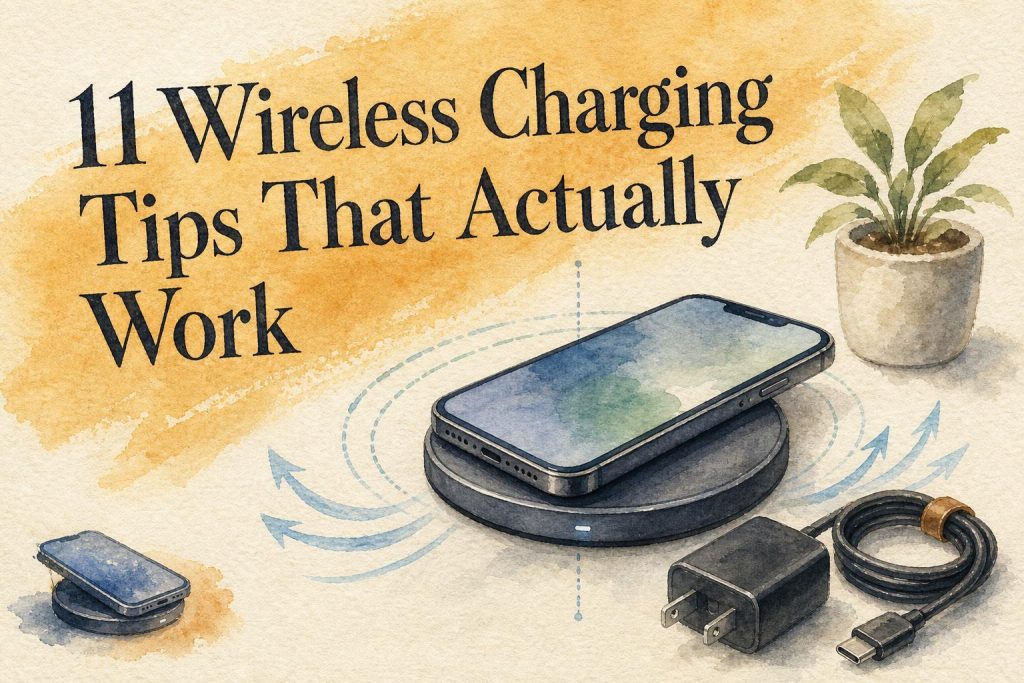
Wireless charging fails for four fixable reasons: misalignment, case interference, heat, and an underpowered wall adapter. The fastest fixes are a magnetically aligned Qi2 charger for consistent coil positioning, a thin case (or no case) so the charging coils sit close, and a wall adapter that actually supplies the wattage your charger advertises. Get those three right and most "slow charging" and "keeps stopping" problems disappear. The tips below explain why each factor matters and how to check it.
Why does wireless charging feel slower and less reliable than a cable?
Wireless charging loses energy across the air gap between coils, and any misalignment, case thickness, or heat widens that loss. A cable delivers power directly. Wireless charging depends on two coils staying close and aligned, so the same 25W charger can deliver full speed in one setup and half speed in another.
Charging wattage is a maximum negotiated power level, not the average power across a full charge. According to the Wireless Power Consortium and Belkin, speed tapers as the battery fills and can drop because of heat, alignment, case thickness, or software limits. A charger labeled 25W does not guarantee 25W to your phone.
The convenience tradeoff is real. Users on r/Smartphones question whether wireless charging is worthwhile at all, since wired charging is often substantially faster. The counterargument is drop-and-go convenience and less cable clutter on desks and nightstands. Both are valid, and the tips below assume you want convenience without giving up more speed than necessary.
The 11 tips at a glance
- Buy a Qi2-certified charger for magnetic alignment
- Match every link in the chain to the same standard
- Use a wall adapter that supplies enough wattage
- Remove thick or metallic cases (or verify magnet compatibility)
- Take cards and metal out of your wallet case before charging
- Keep the phone and charger cool
- Pick a stand for alignment, a pad for flexibility
- Read per-device specs on any 3-in-1 charger
- Don't confuse Qi2 15W with Qi2 25W
- Verify certification instead of trusting a wattage label
- Choose the right form factor: pad, stand, station, or magnetic power bank
Tip: If charging keeps starting and stopping overnight, check alignment first. A stand or a magnetic charger holds the phone in one spot; a flat pad lets it drift out of range when you touch it.
How the wireless charger types compare
| Type | Best for | Standout feature | Price (2026) |
|---|---|---|---|
| Magnetic desk stand | Nightstand or desk, drop-and-go | Holds phone aligned and visible | Anker MagGo Stand, $35.99 sale / $39.99 |
| Budget upright stand | Lowest-cost stand charging | Upright positioning, basic Qi | Anker 313 Stand, $25.49 |
| Foldable 3-in-1 station | Travel with phone, watch, earbuds | Folds flat for a bag | Anker MagGo Foldable Pad, $67.49 sale / $89.99 |
| Premium 3-in-1 dock | Fixed premium desk setup | Stand-style magnetic dock | Anker Prime Dock Stand, $159.99 sale / $229.99 |
| Slim magnetic power bank | Charging away from a wall | Attaches magnetically, pocketable | Anker Nano 5K MagGo, $54.99 |
What we tested for
We ranked chargers on four things that decide real-world results: magnetic alignment (does it hold the coils in position), certification (verified output versus a printed wattage claim), per-device output on multi-device models, and portability. Pricing is listed as a one-time 2026 purchase, with sale and regular prices separated so you can tell a temporary discount from the usual list price. Theindustryofcool covers tech and gadgets for readers who want a pick that works, not a spec sheet.
1. Buy a Qi2-certified charger for magnetic alignment
Qi2-certified chargers use magnetic alignment to lock the charging coils into position, which makes charging more consistent than dropping a phone onto a basic flat Qi pad. Misalignment is the single most common cause of slow or intermittent charging, and magnets remove it.
The Wireless Power Consortium reported more than 1,100 certified Qi2 products as a first-year milestone. Belkin says iPhone 8 and later support wireless charging, while iPhone 12 and later add magnetic alignment through MagSafe.
Verdict: if your phone supports magnetic alignment, a Qi2 magnetic charger is the biggest reliability upgrade you can make.
2. Match every link in the chain to the same standard
The phone, charger, magnetic case, cable, and power adapter must all support the charging standard you want. One weak link caps everything. A 25W charger fed by a low-output cable and adapter will not hit 25W, no matter what the box says.
Users on r/TheOnePlus15 report very low charging power when they pair a magnetic charger with an incompatible phone or case. That is the chain breaking. Before you blame the charger, confirm the phone model, its Qi2 or MagSafe support, the case, the cable, and the wall adapter all agree.
Verdict: build a compatibility checklist once, and most "why is it so slow" complaints answer themselves.
3. Use a wall adapter that supplies enough wattage
A wireless charger plugged into an underpowered wall adapter or cable may never reach its advertised output. The charger negotiates power with what it is given; feed it too little and it delivers too little.
Qi2 25W offers nearly 70% more power than the previous 15W Qi2 level, according to the Wireless Power Consortium. But that headroom only exists if the adapter can supply it. Reuse an old 5W phone brick and a 25W charger behaves like a slow one.
Warning: Many chargers ship without a wall adapter. Check the required input wattage before you assume a spare brick from a drawer will do the job.
Verdict: buy or reuse an adapter rated at or above the charger's stated input, or accept slower speeds.
4. Remove thick or metallic cases (or verify magnet compatibility)
Thick, metallic, or poorly aligned cases increase the distance between coils and cause slower or intermittent charging. Metal in a case can block the magnetic field entirely.
Users on r/GalaxyFold report that cases prevent or reduce charging even when the charger is marketed as compatible. The fix is to check case thickness and, for magnetic charging, confirm the case has a properly aligned magnet ring. A MagSafe-branded or Qi2-compatible case keeps the magnets lined up.
Verdict: a thin case with a certified magnet ring charges reliably; a thick or metal case is the first thing to remove when troubleshooting.

5. Take cards and metal out of your wallet case before charging
Credit cards, transit cards, metal plates, and magnetic wallet attachments should come off the phone before wireless charging. They interfere with the magnetic field and can heat up, which risks damaging the cards.
This matters most with magnetic wallet cases that sit directly between the phone and the charger. Detach the wallet, charge the phone, reattach after.
Verdict: pull the wallet off first. It protects your cards and clears the charging path in one step.
6. Keep the phone and charger cool
Heat causes wireless charging to slow or pause, and higher-power Qi2 25W charging makes thermal management more important. When the coils get hot, the phone throttles power to protect the battery.
Overheating is a frequent concern among foldable-phone owners on r/PixelFold, where ventilation and airflow matter more because of the device design. Keep the charger off soft surfaces like a bed or couch that trap heat, remove the case if it runs hot, and avoid charging in direct sun. For related habits, see our notes on changes you can make to save energy around the home.
Verdict: a cool, ventilated surface keeps charging at full speed; a hot phone quietly caps itself.
7. Pick a stand for alignment, a pad for flexibility
Charging stands hold the phone in one spot and make it easy to confirm charging started; flat pads offer more placement flexibility but are more sensitive to alignment. Choose by how you use the space.
A stand suits a nightstand or desk where you also want to glance at notifications. The Anker MagGo Wireless Charger Stand costs $35.99 on sale ($39.99 regular) and keeps a compatible phone upright and aligned. The budget Anker 313 Stand runs $25.49 with basic Qi and no magnets. A flat pad wins when you want to set the phone down in any orientation.
Verdict: stand for reliable alignment and visibility, pad for casual drop-anywhere use.
8. Read per-device specs on any 3-in-1 charger
A 3-in-1 label means the charger supports three device categories, not that each device gets full wattage at the same time. Check the phone, watch, and earbud output specifications separately before buying.
The Anker MagGo Wireless Charging Station 3-in-1 Foldable Pad costs $67.49 on sale ($89.99 regular) and charges phone, watch, and earbuds together while folding for travel. The premium Anker Prime 3-in-1 Dock Stand costs $159.99 on sale ($229.99 regular) for a fixed desk setup. Both list per-zone output; read those numbers, not the headline "3-in-1."
Verdict: a 3-in-1 is only worth it if each zone actually delivers the speed your devices need.
9. Don't confuse Qi2 15W with Qi2 25W
Qi2 supports up to 15W, while Qi2 25W supports up to 25W, per the Wireless Power Consortium's 2025 to 2026 figures. These are different tiers, and a "Qi2" label alone does not tell you which one.
Belkin compares Qi2 25W with basic 5W Qi charging: 25W is five times the theoretical input power, but that is not a guaranteed fivefold cut in charging time. Speed still tapers as the battery fills. Fourteen devices, receivers, and transmitters completed Qi2 25W certification during the limited July 2025 launch, so the higher tier is still rolling out.
Verdict: if you want the fastest wireless speed available, confirm the product says Qi2 25W, not just Qi2.
10. Verify certification instead of trusting a wattage label
A printed wattage number is a claim; certification is verification. As Qi2 25W adoption expands, unverified "25W" chargers will multiply. The Wireless Power Consortium's certification program is how you confirm a product actually meets the standard.
Buyers on r/MagSafe repeatedly want a charger that delivers decent speed without poor reliability or padding features. Certification is the shortcut: a certified product has passed testing for the wattage it claims. You can check the Wireless Power Consortium's product listings rather than take a marketplace listing at its word.
Verdict: pay for certified output, not a big number on a box.
11. Choose the right form factor: pad, stand, station, or magnetic power bank
Match the charger to where you charge. A desk stand handles daily use; a foldable station handles travel; a magnetic power bank handles charging with no wall outlet nearby.
For power away from home, the Anker Nano Power Bank 5K MagGo costs $54.99 with 5,000mAh in a slim magnetic body, while the Anker MagGo Power Bank 10K costs $79.86 for 10,000mAh. Budget magnetic batteries include the Anker 621 at $30.99 sale ($42.99 regular) and the Anker 622 at $25.99 sale ($47.99 regular). Travelers who like gadget kits may also want our list of interesting tech gadgets for RV life.
Verdict: own a stand for the desk and a slim magnetic power bank for the road, and you cover most days.
Other options considered
Belkin builds a widely available Qi2 and MagSafe charger line, and its documentation on charging standards is among the clearest for confirming device support. Anker's MagGo range wins here on breadth: it spans a $25.49 budget stand to a $229.99 premium dock, so one brand covers most budgets and use cases. Flat non-magnetic Qi pads still make sense for older phones (iPhone 8 through 11) that support wireless charging but lack magnetic alignment. For those devices, a stand or pad is the practical pick, since Qi2 magnets add nothing they can use.
Frequently asked questions
Why is my phone charging slowly on a wireless charger?
Slow wireless charging usually comes from one of four causes: the phone is misaligned with the charger coils, a thick or metal case widens the gap, the phone or charger is hot and throttling, or the wall adapter supplies too little power. Check alignment first with a magnetic charger, remove the case, keep the setup cool, and confirm your adapter meets the charger's required input wattage.
Does a 25W wireless charger charge my phone at 25W?
Not necessarily. Charging wattage is a maximum negotiated power level, not the average delivered across a full charge. Your phone must also support Qi2 25W, and the wall adapter and cable must supply enough power. Speed tapers as the battery fills and can drop from heat, alignment, or case thickness. A 25W label sets a ceiling, not a guarantee.
Can I leave my case on while wireless charging?
Thin cases with a properly aligned magnet ring charge fine. Thick, metallic, or poorly aligned cases increase coil distance and cause slow or intermittent charging, and metal can block charging entirely. For magnetic charging, use a MagSafe or Qi2-compatible case so the magnets line up. If charging is unreliable, removing the case is the first thing to test.
Is wireless charging worth it if wired is faster?
Wireless charging is worth it for convenience, not raw speed. Wired charging is often substantially faster, but wireless charging removes cable clutter and lets you drop the phone down and pick it up without plugging in. If you charge overnight or at a desk, speed matters less than convenience. If you need a fast top-up before leaving, use a cable.
What does a 3-in-1 wireless charger actually charge?
A 3-in-1 charger supports three device categories, usually a phone, a smartwatch, and earbuds. The label does not promise full wattage to each device at the same time. Check the per-zone output specifications separately, because the phone, watch, and earbud pads may each deliver different power. Buy based on those individual numbers, not the "3-in-1" headline.
Should I remove cards from my wallet case before charging?
Yes. Credit cards, transit cards, metal plates, and magnetic wallet attachments should come off before wireless charging. They interfere with the magnetic field, can slow or stop charging, and may heat up enough to risk damaging the cards. Detach the wallet, charge the phone, and reattach afterward.
Related Reading
- Tech Accessories Statistics 2026: 40 Numbers That Matter
- Top 8 Tech Accessories for a More Productive Desk
- USB-C Hub vs Docking Station: Which Is Better for Remote Work?
- 11 Business Planning Tips That Actually Work for Creators
- 11 Pricing Strategy Tips That Actually Work for Small Brands
- Stylish Small-Space Storage Solutions That Make Every Room Work Harder
- Top 9 Business Models Powering the Creator Economy
- 10 Best Lifestyle Magazines Covering Travel, Food, and Fashion
- Boost Your Productivity With All-in-One Computers: Must-Have Features
- Does Your Home Need Revamping?